
Comparison of TikTok vs TikTok Lite. Which one is best?
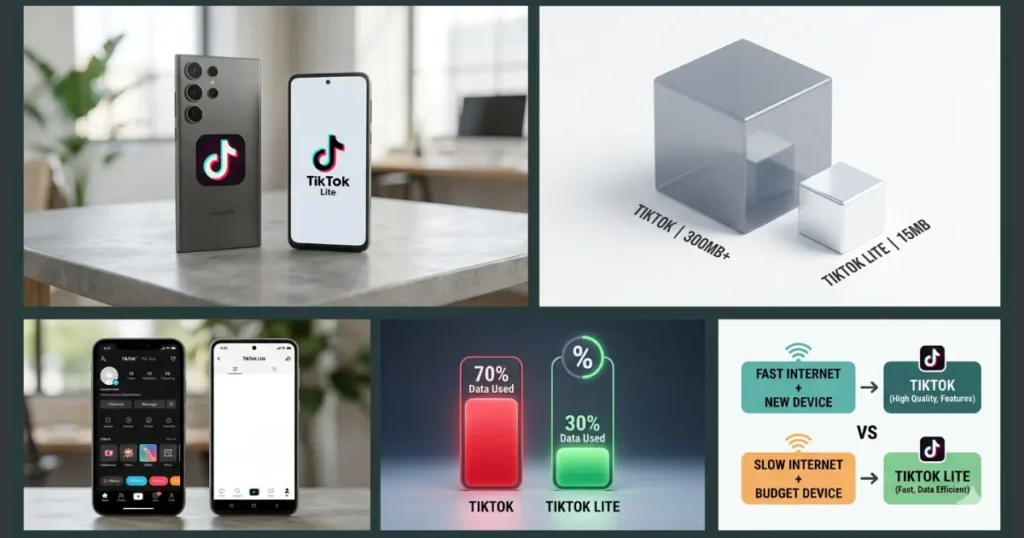
Both apps always confuse people about how they work. Let’s discuss the broader comparison of TikTok vs TikTok Lite. Is it only the names and the features, or is there something more that makes the difference?
What is TikTok?
TikTok has become a very popular social media sensation attracting more than a billion users, with its short-form video format. TikTok Live lets users create, watch, share, and interact with other users in real time.
It is very easy to use and provides many advanced features. It’s no surprise that it has over 800 million active users worldwide. This app was previously known as Musical.Ly.
To unlock the full potential of these features and master the art of real-time streaming, explore our comprehensive TikTok Live guide on the Home Page.
What is TikTok Lite?
As this app gained popularity, its owner, ByteDance, released a lighter version, TikTok Lite, in 2018. It is designed as a lightweight or faster version of the original app.
Because it is smaller, it uses less storage space and runs efficiently on slow networks. Or it uses less data and provides a smooth experience even on older or less powerful smartphones.However, despite its many benefits, it still faces criticism for its lack of basic safety.
To understand how to navigate these risks and get the most out of this lightweight app, check out our dedicated TikTok Lite page.
Features Comparisons of TikTok vs TikTok Lite
Here are some features that set the two versions apart.
User Interface
The TikTok Lite interface is a streamlined version of the main app. It provides optimized speed with low data usage. It is easier to navigate on smaller screens and low-end devices.
The interface of the live TikTok download is simple but quite different from the lite version. Some users find its interface complex or difficult to navigate.
Uploading and sharing Options
The uploading and sharing options of TikTok vs TikTok Lite are almost the same. The main app lets users easily upload videos. It provides many sharing options, including react, repost, or copy links.
In its lite version, users cannot upload video content longer than 3 minutes. It also limits direct link sharing due to suspicious or offensive behavior.
Settings
The settings for TikTok vs TikTok Lite are totally different. TikTok Lite login offers fewer settings and is considered less secure than the original app.
The main app provides a variety of different safety and management settings. Like camera settings, comment moderation, guest management, effects, and filters.
Download Options
Users with a stable internet connection can download the TikTok original app from the app store or APK sites on Google Play. It takes more time to download a video.
Lite is best for users with slow internet connections, as it adapts to varying internet speeds. It provides faster performance than the TikTok live download. It takes a few seconds to download a video.
App Size
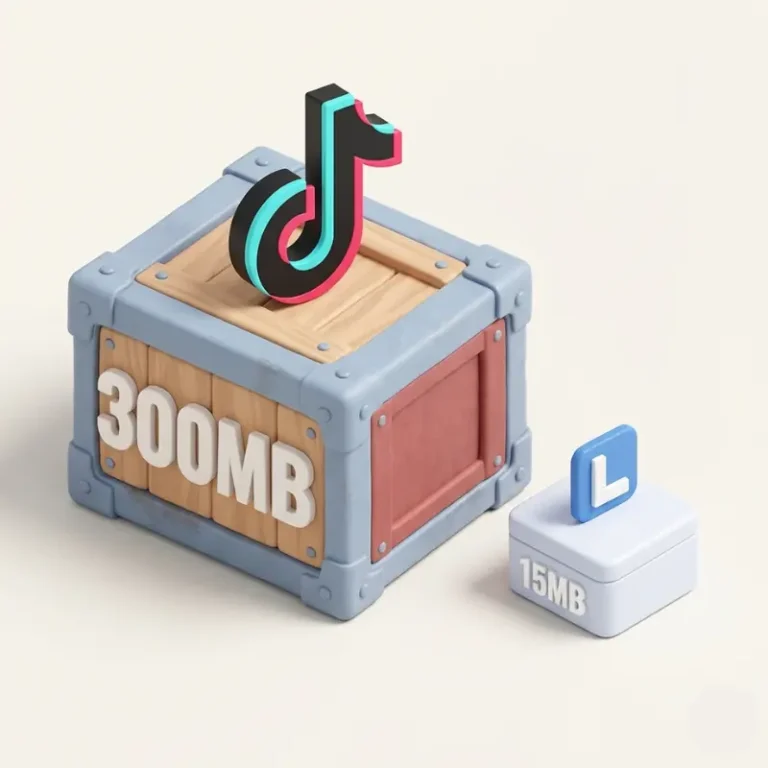
The original app is around 300 MB. But its total storage capacity can be larger due to cached content or downloaded videos. So, that’s why it takes more space on your device.
On the contrary, the TikTok Lite download version is smaller, ranging from 13 MB to 20 MB. It provides faster performance. It is best for users with budget-friendly smartphones.
Data-Saving Functionality
The main difference between both lies in their data saving functionality. The original app saves less data somewhat by lowering the video resolution. But the lite version, famous for its data-saving capabilities, uses less data and is ideal for users with limited data plans.
Storage Requirements
The main app uses a lot of storage due to cache, watch history, downloads, and drafts. It takes up about 300MB of data.On the contrary, the lite version is smaller and takes up very little space, typically 9MB or 18MB.
Internet Data Usage of TikTok vs TikTok Lite
The TikTok APK uses approximately 750-1GB of mobile data per hour. The TikTok Lite app download consumes roughly 30 to 40MB per hour under similar viewing conditions.
TikTok Lite’s minimized data architecture makes it highly resilient in regions . Many creators switch to this version during a temporary or partial TikTok ban because it loads much faster on restricted, throttled bandwidth lines.
Algorithm Differences
The algorithmic differences between the two versions are entirely based on user experience. ByteDance does not publicly detail it.
However, the original app’s algorithm is highly personalized and adapts quickly to the user’s activity. At the same time, the lite version’s algorithm is less personalized than the full app.
Creation Tools
The main app has advanced video editing tools, including precision, cutting, and speed adjustments. But these creative tools are not present in its lite version.The lite version has only basic editing tools.
These creative tools are not present in the lite version like music and sound options, Green screen and background customization, Duet and guest collaboration, Advanced text animations.
Effects and Filters Comparison
The original app provides numerous effects, filters, and AR features, whereas the lite version offers only basic filters and effects, totaling approximately 30-50.
Video Quality and Resolution Differences
The TikTok Live app automatically adjusts video quality based on internet connection speed. It provides 1080p resolution on good connections, while the lite version typically offers 480p or lower to conserve data.
Content Experience
The content experience on the main app is more satisfactory than the Lite version because Lite offers longer loading times and lower resolution, particularly in video quality.
Battery Consumption
The official app consumes 12-15% of battery per hour of active use. while the Lite app typically uses 7-10% of battery per hour under similar conditions. It saves 30-40% more battery than the main app.
Device Performance Analysis
Lite app performance is 20-30% faster than the original app. It consumes less battery and runs smoothly on lower-end hardware devices
Memory Usage
The main app typically uses 150-300 MB of RAM, while the lite version uses 50-100 MB. It leaves more RAM for other applications and system processes.
Comparing Features & Performance of Full TikTok vs TikTok Lite
Here is the detailed comparison between both apps.
|
Category |
Full TikTok |
TikTok Lite |
|---|---|---|
|
App size |
Around 300 MB |
18 MB to 20.5 MB |
|
Data usage |
300 to 700 MB per hour |
Saves data up to 20 % on usage |
|
Speed on low-end devices |
Slow and laggy |
Faster and more stable |
|
Video quality |
High quality options |
Often in lower quality to save data |
|
Safety |
More safety or control |
Less safety or controls than main app |
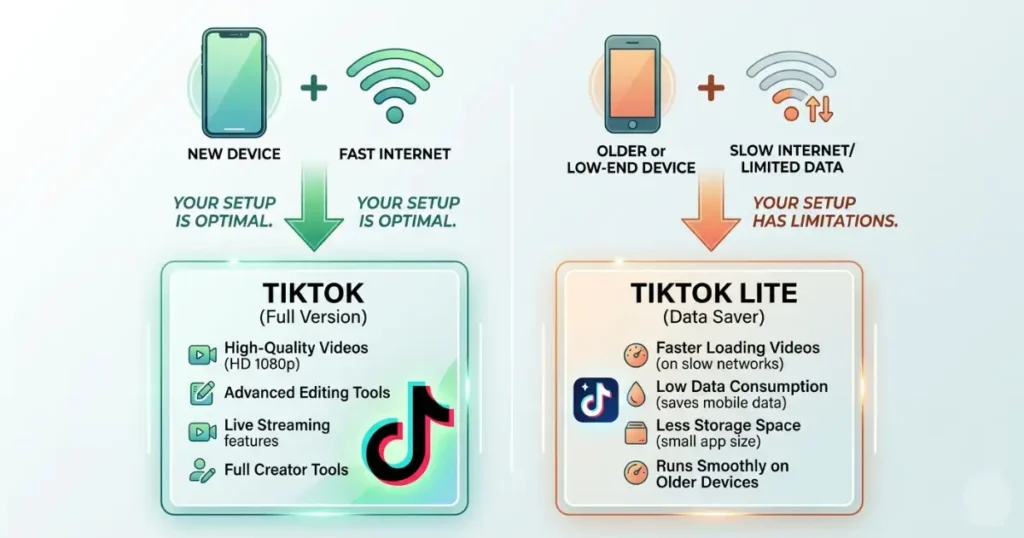
Who Should Use TikTok vs TikTok Lite?
Missing Safety Features on TikTok Lite
One of the main concerns of these social media platforms’ lite versions is their safety issues as compared to the original app, and some of them are here;
Drawbacks of Choosing TikTok Lite
It offers a streamlined experience, but this app still has some loopholes that may cause inconvenience for content creators. Here are some potential drawbacks compared to the full version.
How to Manage Content Across Both Platforms?
Some users want to manage both versions of TikTok simultaneously, for different purposes.
Like the original app for content creation, or when they have WiFi access. They use the lite version for browsing content or on limited data
Here are some steps to manage this dual approach effectively:
Recommended Settings for Optimal Experience
Here are some settings you should consider for enjoying an optimal experience on TikTok Lite;
For maximum data savings
For best performance
These settings will enhance TikTok Lite’s core benefits, reduce data usage and improve performance on limited hardware.
How to Switch Between Versions: TikTok vs TikTok Lite?
Switching between both is super easy. They both provide a seamless user experience. Here’s how you can switch between them:
Transferring Your Account to TikTok Lite
Moving your TikTok account to the Lite version is simple:
1. Download TikTok Lite from your device’s app store.
2. Open the app and select “Log in.”
3. Use the same credentials (phone, email, or third-party login) as your original TikTok account.
4. Verify your identity if prompted.
Users’ core account information, including following/follower relationships and profile details, will be automatically transferred. However, some aspects of your account may not carry over completely:
Future of both versions
The future of TikTok is uncertain, particularly in the US due to potential sales or ban linked to national security concerns. Because the app’s parent company is Chinese, it must sell it to US ownership or face a ban in early 2026. However, it has continued to evolve and enhance its Lite version to better serve its audience.
Recent Improvements
How does the TikTok Lite rewards system work?
It offers a rewards program that gives users points for performing certain actions, such as logging in every day, liking videos, following new accounts, inviting friends, and watching videos for a set period of time.
Coins earned can be redeemed for gift cards from PayPal, Amazon, or other services or sent as tips, stickers, or gifts to favorite content creators.But it is no longer available in the EU.
How User Feedback Shapes TikTok Lite’s Evolution?
User feedback plays an important role in shaping user experience. As they share their opinions on which feature from the standard app should be in the TikTok Lite, user feedback is helping shape the Lite version. ByteDance is actively noticing and monitoring them in the form of;
FAQs
Conclusion
Many users are confused to choose betweenTikTok vs TikTok Lite. So, you should choose the right one according to your needs. If you have a fast internet connection or new devices, the original app is best because it offers more features and higher-quality videos. If you have an older device with a slow internet connection, then TikTok Lite is a great option, as it offers lighter performance and faster loading times.