
TikTok Thumbnail Downloader: Save the Cover Image of a TikTok Video
Every TikTok video has a cover image. It’s the still you see on a creator’s profile grid, in search results and in the preview when someone shares a link. Saving it should take one step. In practice you end up pausing the video, taking a screenshot and cropping away the buttons, and you still get a blurry, off-centre frame.
Thumbnail preview
Download only content you own or have permission to use.
The TocWave TikTok Thumbnail Downloader gets the cover image straight from the public video. Paste a link, and TocWave finds the largest version TikTok makes public, shows you a preview with its size and format, and lets you save it. There’s no app to install and no TikTok login.
TocWave is an independent tool and is not affiliated with TikTok.
What is a TikTok thumbnail?
A TikTok thumbnail, also called the cover, is the single image TikTok uses to represent a video before it plays. Creators pick it when they post, either a frame from the video or a cover they design. TikTok then shows it:
- on the creator’s profile grid,
- in search results and on hashtag pages,
- in link previews when the video is shared on other apps and websites.
TikTok stores the cover in several sizes for different screens. A thumbnail downloader looks at the public versions and saves the best one.
How to download a TikTok thumbnail
1. Copy the video link.
In the TikTok app, open the video, tap Share, then Copy link. On a computer, copy the address from your browser bar. Short links such as vm.tiktok.com work too.

2. Paste the link.
Paste the link into the box above.
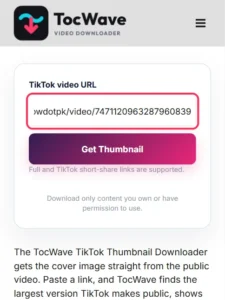
3. Tap Get Thumbnail.
TocWave reads the public video page and checks the cover images TikTok lists for it.
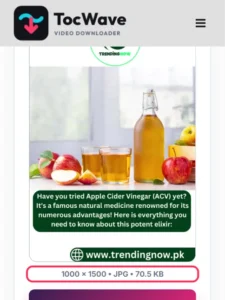
4. Check the preview.
You’ll see the image with its width, height, format and file size.
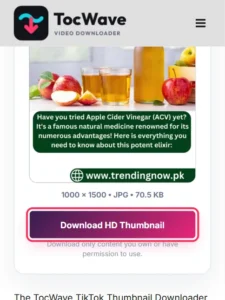
5. Tap Download HD Thumbnail.
The image saves to your Downloads folder, or to Files on iPhone.
What you get
| What | Details |
|---|---|
| Image | The largest cover image TikTok makes public for the video |
| Format | The format TikTok serves, usually JPG, sometimes WebP |
| Size | Shown before you download, so you know what you’re getting |
| Changes | None. TocWave doesn’t crop, resize, compress or add anything to the image |
Why thumbnail sizes vary
TikTok keeps several copies of each cover, from small previews to larger versions. TocWave checks up to four of the public copies and keeps the one with the most pixels. So the size you get depends on what TikTok stores for that video. It isn’t the same for every post.
TocWave doesn’t upscale. If a cover was small or blurry to begin with, the download will be too. That’s honest quality, not a fault in the tool.
What people use TikTok thumbnails for
- Creators reusing their own covers. Put the same cover on a YouTube Short, a blog post or a newsletter so your content looks consistent everywhere.
- Planning a profile grid. Line up covers side by side to see how your grid will look before you post the next video.
- Design reference. Study how other creators use text, faces and colour to make a cover stand out at small sizes.
- Notes and research. Keep a visual record of a video you’re writing about, together with its link.
Use thumbnails responsibly
A cover image belongs to the creator who made it, just like the video. Saving one for personal reference is usually fine. Reposting it, using it in an ad or passing it off as your own needs the creator’s permission. If the cover shows other people, think about their privacy too. When in doubt, link to the original video instead.
TocWave only works with public videos. It can’t open private accounts, videos shared with friends only, or deleted posts.
Is the TikTok thumbnail downloader safe?
Yes. TocWave never asks for your TikTok login and there’s nothing to install. Our server reads the same public video page anyone can open, fetches the cover image and passes it to you. TocWave keeps the image only for a short session (up to 30 minutes) so you can download it, then deletes it. Nobody is notified when you save a thumbnail.
TikTok thumbnail downloader not working? Quick fixes
| Problem | Likely cause | Fix |
|---|---|---|
| “This link did not resolve to a public TikTok video” | It’s a profile link, or the video is private or deleted | Copy the link of the video itself and check that it’s public |
| “TikTok did not return public video metadata” | TikTok didn’t answer our server in time | Wait a minute and try again |
| The image is small | That’s the largest cover TikTok makes public for this video | Try the original video in TikTok to compare |
| You want every photo from a photo post | A photo post has several images, not one cover | Use the TocWave TikTok Photo Downloader |
More TocWave tools
- Need the video itself? The TikTok Video Downloader saves public videos as MP4.
- Just the sound? The TikTok to MP3 converter saves the audio.
- Photo posts and slideshows: the TikTok Photo Downloader saves every image.
Frequently asked questions
Is the TikTok thumbnail downloader free?
Yes. There’s no sign-up, no TikTok login and no app.
Can I get the thumbnail of a private video?
No. TocWave only reads public videos. Private and friends-only videos aren’t available.
What format is the thumbnail?
Whatever TikTok serves for that cover, usually JPG and sometimes WebP. The preview shows the format before you download.
Does it work on iPhone and Android?
Yes. It works in any modern browser. On iPhone, the image goes to Files > Downloads, and you can save it to Photos from there.
Will the creator know I downloaded their thumbnail?
TocWave doesn’t notify anyone. It reads the same public page anyone can open. Still, ask the creator before you reuse their cover anywhere.
Final thoughts
A good cover does a lot of work for a TikTok video, and sometimes you want to keep it. Paste the link, check the preview and save the image in the size TikTok makes public, with no screenshots and no cropping. Then use it the way you’d want your own work used: with credit, and with permission when it’s not yours.